
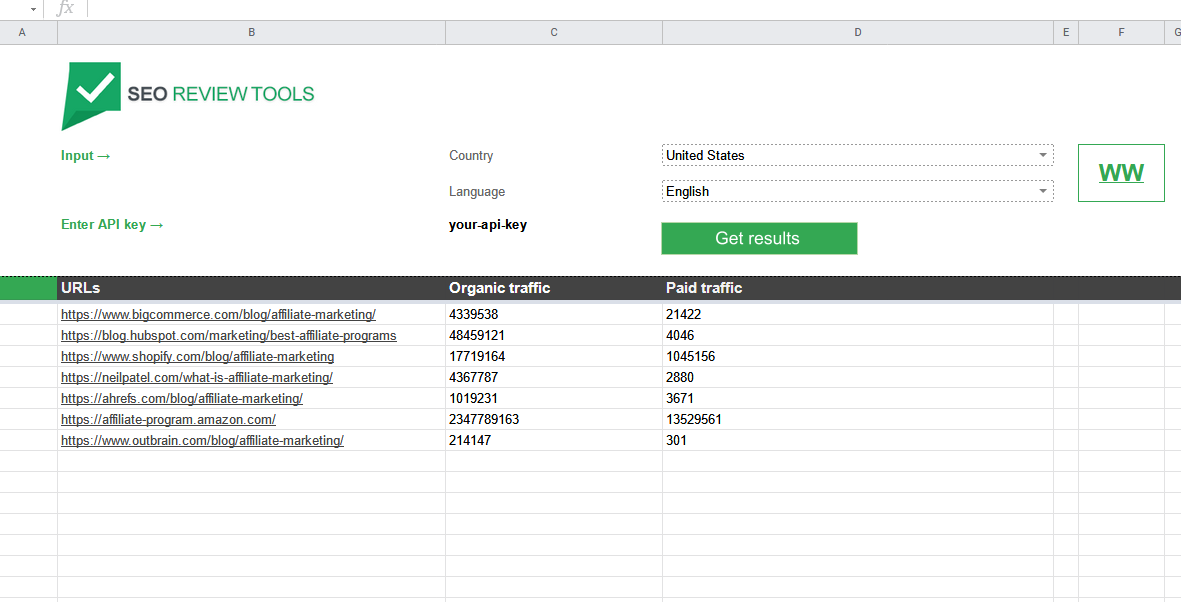
Update: Bulk Google Traffic research sheet
We reduced prices for this sheet. Performing a single analysis (for up to 1K domains) only costs 12 API credits.
Use the Google traffic sheet to discover how many visitors a Website or specific URL gets form both the organic and the paid search results. See how many visitors your competitors get or use traffic data to estimate the value of a domain. The spreadsheet is designed to handle bulk requests, this means you can check up to 1000 results with just a single click.
The traffic statistics are calculated based on the position in search (organic and paid) taking into account SERP elements, CTR (Click-Trough-Rate)and monthly search volume for the corresponding keywords associated with the specified domain or URL.
The “Google traffic research sheet” is a pre-programmed spreadsheet that connects with the SEO Review Tools traffic API. This means you can work with the API without any programming knowledge.
How to use this sheet
- Make a copy of this spreadsheet
- Register for the API (the API comes with a 15 day free trial)
- Enter your API key
- Enter your Keyword
- Slect your country
- Hit the “Get results” button
The first time you use the sheet
Please note that I will NOThave access to your account and you will be the owner of the script running in your account. Becuse the Google authorisation screens can look pretty intimidating ;-))
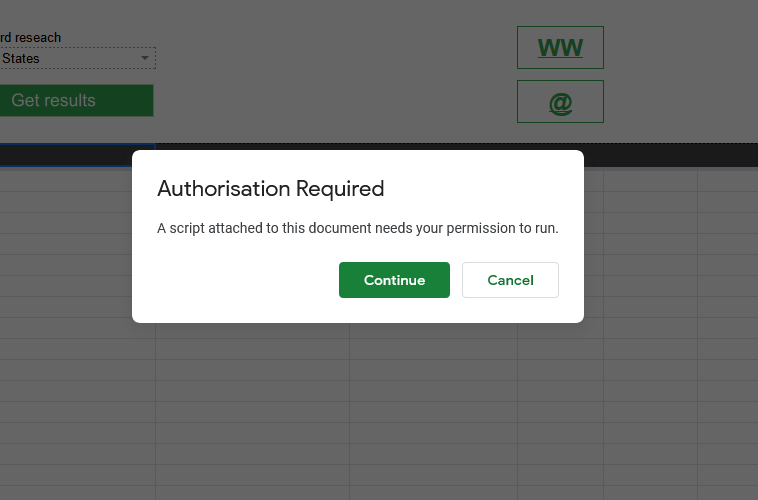
- Google will ask for authorization, click “Continue”


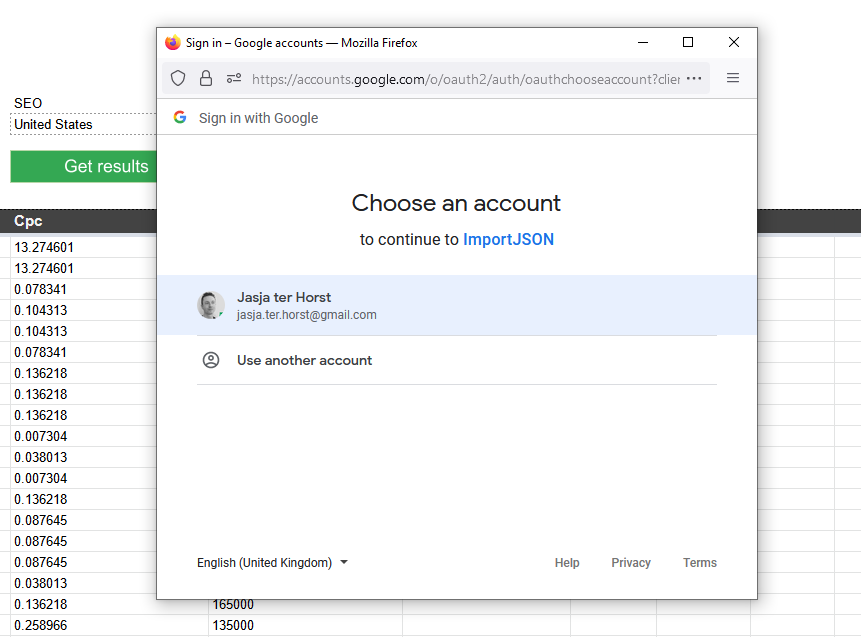
- Select the account you want to use

- Google will show the “Google hasn’t verified this app” message, click “advanced”

- Click “Go to ImportJSON (unsafe)”.
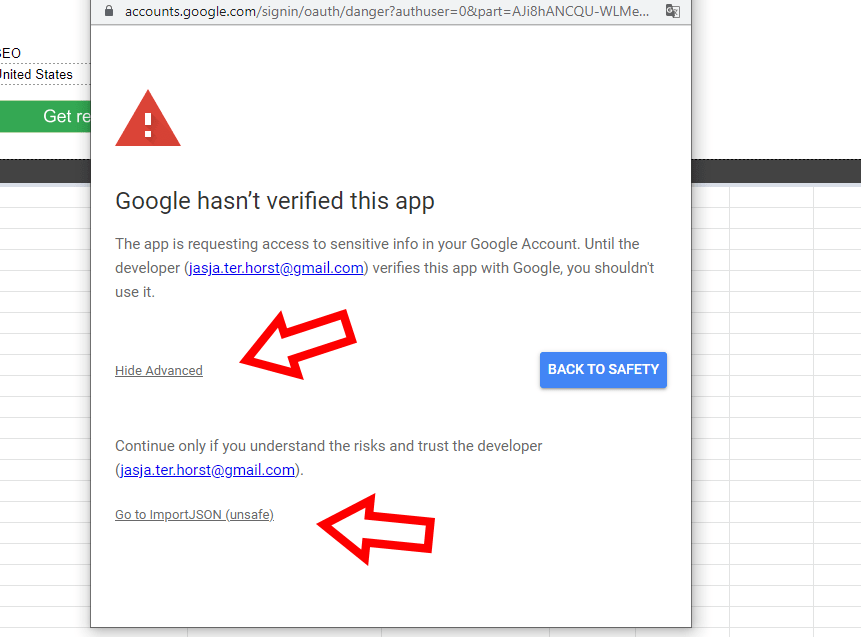
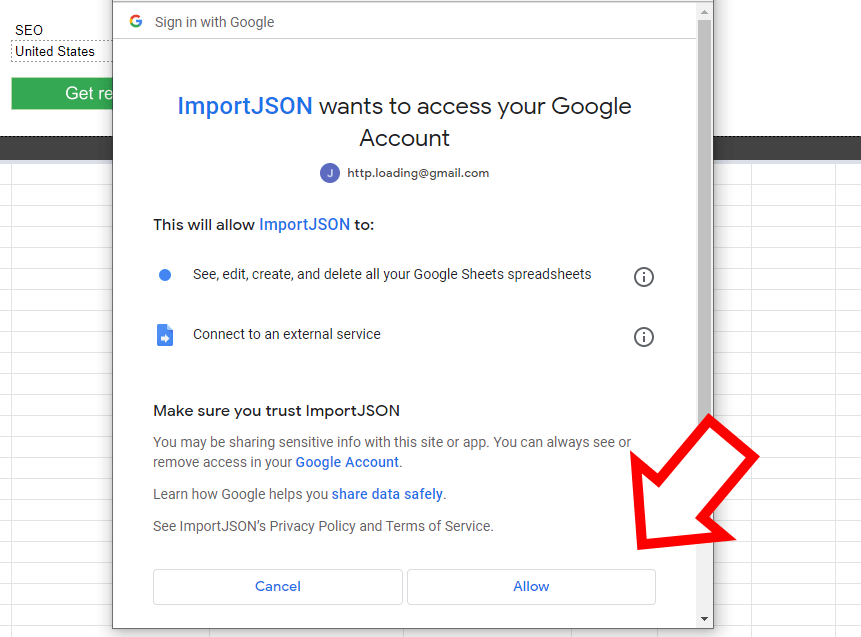
- On the “ImportJSON wants to access your Google Account”, click “Allow”



If you have any additional question or suggestions, don’t hesitate to contact me.
























 Get the new Chrome Extension!
Updates